Live FPGA Lab
A real FPGA board anyone can use from the browser
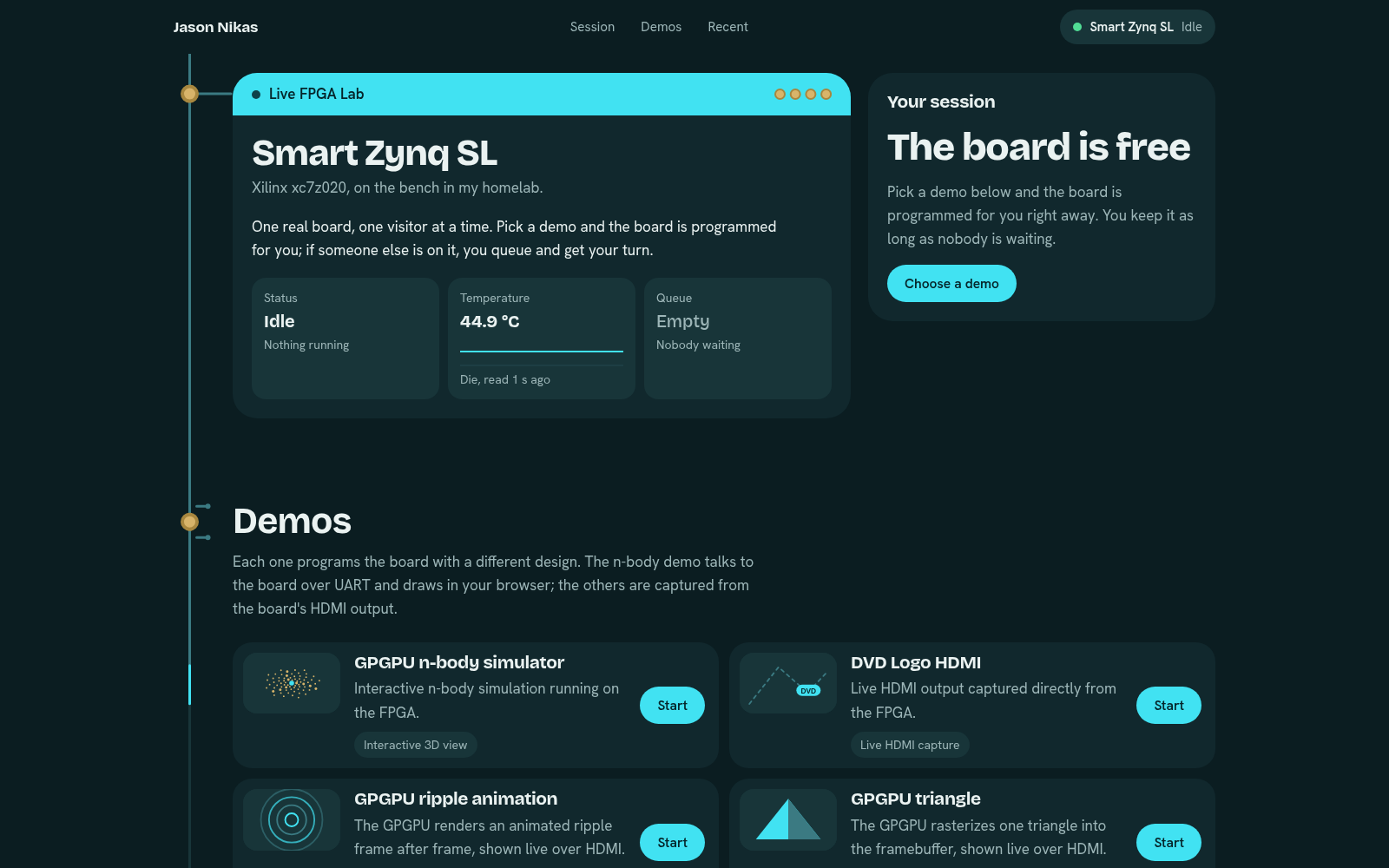
- 4demos on one real board: three GPGPU programs and the DVD logo
- 5 minper turn once someone is waiting, plus a minute to hand over
What it is
A real FPGA board in my homelab that anyone can use from the browser. Pick a demo and press Start, and the board is programmed for your session. If someone else is using it, you join a queue and see your place and an estimated wait.
The board is a Smart Zynq SL, and it runs four demos, all described below.
How a turn works
There are no accounts: each visitor gets an anonymous cookie, and the page stays up to date live over a WebSocket. A session moves from queued, to starting while the board is programmed, to active, and then to ended. Only one session can own the board at a time.
Turns have no time limit while nobody is waiting. Once someone queues, the current turn gets 5 minutes plus a minute to hand over, and idle sessions that disconnect are dropped after 90 seconds. Every session ends with a reason you can see: ended by the visitor, time up, programming failed, a board fault, or the board going offline.
Start shows each step while the board is programmed, and the tab’s title follows along, so you can switch tabs and come back when it’s live. Your session then grows into the stage where the demo plays.
A link can also start a demo directly: the “Run the demo” buttons on this site open the lab and join that demo’s queue straight away.
Behind the board
Two programs share the work. A web app keeps the queue and the sessions, talks to every browser, and passes the running demo through to the page. A hardware agent runs next to the board: it finds it, reads its temperature and health, programs its logic and its processor, resets it and catches faults. The two talk over a local connection, never the network, so the board can only be reached through the web app’s own rules.
A small public, read-only status feed is what shows “Running now” and the board’s temperature on this site’s home page.
The demos
- N-body on our RISC-V GPGPU: a 3D view in the browser that you can orbit and zoom, with every position computed on the GPGPU on the FPGA.
- The DVD logo: the board’s HDMI output, streamed to the browser as live video.
- A ripple, drawn by GPGPU v2: animated frame after frame and shown live over HDMI.
- A triangle, drawn by GPGPU v2: rasterized into its framebuffer and shown live over HDMI.
Repository
- RepositoryGitHub, opens in a new tabOpen
Team

Tools
What this project was built with. Pick one to see where else I used it.