N-body on GPUs
2,910× faster than the single-core version
- 2,910×faster than the single-core C version
- 431billion body-to-body interactions per second, up from 0.148
- 40×faster than our OpenMP version on the CPU
- 4NVIDIA Tesla K80 GPUs working at once
What it is
A galaxy simulation: every body pulls on every other body, every step. We started from a plain single-core C program and made it faster one change at a time, ending on four NVIDIA Tesla K80 GPUs working together.
It was the last of five projects in the course, after a Sobel filter, K-means with OpenMP, and image convolution and contrast enhancement (CLAHE) in CUDA.
One change at a time
The simulation runs many independent galaxies. Each time step has two phases: work out the force on every body and its new velocity, then move every body. Every change below was measured against the one before it, so each had to earn its place.
On the CPU first
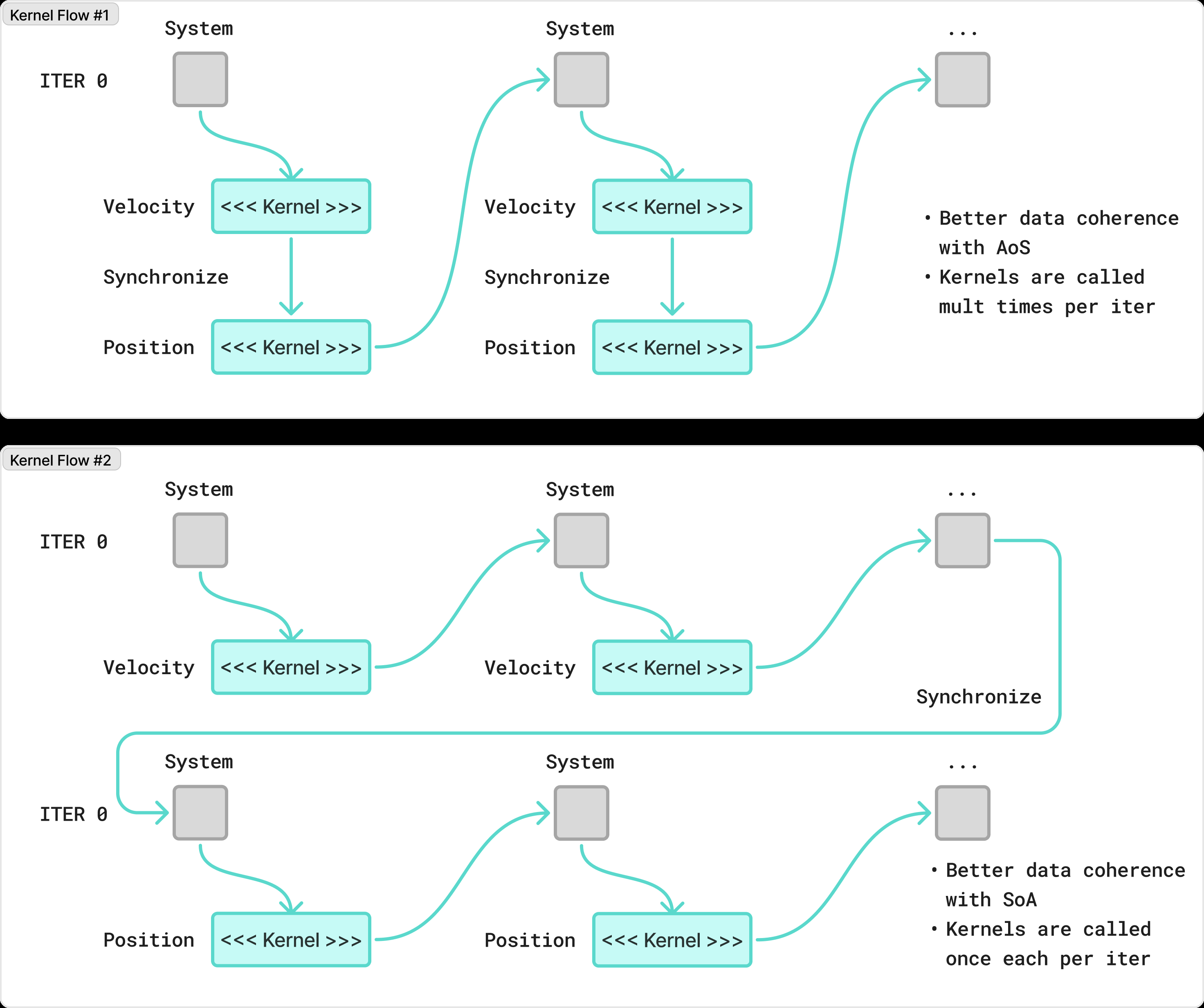
OpenMP gives each CPU thread its own galaxies, so the threads never have to wait for each other. The data also changed shape: instead of one record per body, all the x positions sit together, then all the y positions, and so on (a structure of arrays). Reading one coordinate for many bodies then reads memory in order.
A first GPU version
One GPU thread per body. Each thread reads the position of every other body and adds up the forces, so a galaxy of N bodies means N² reads from the GPU’s slow global memory. The forces and the positions are two separate kernels, so every velocity is ready before any body moves. The inverse square root runs on the GPU’s special function units (rsqrtf).
Keeping the GPU busy
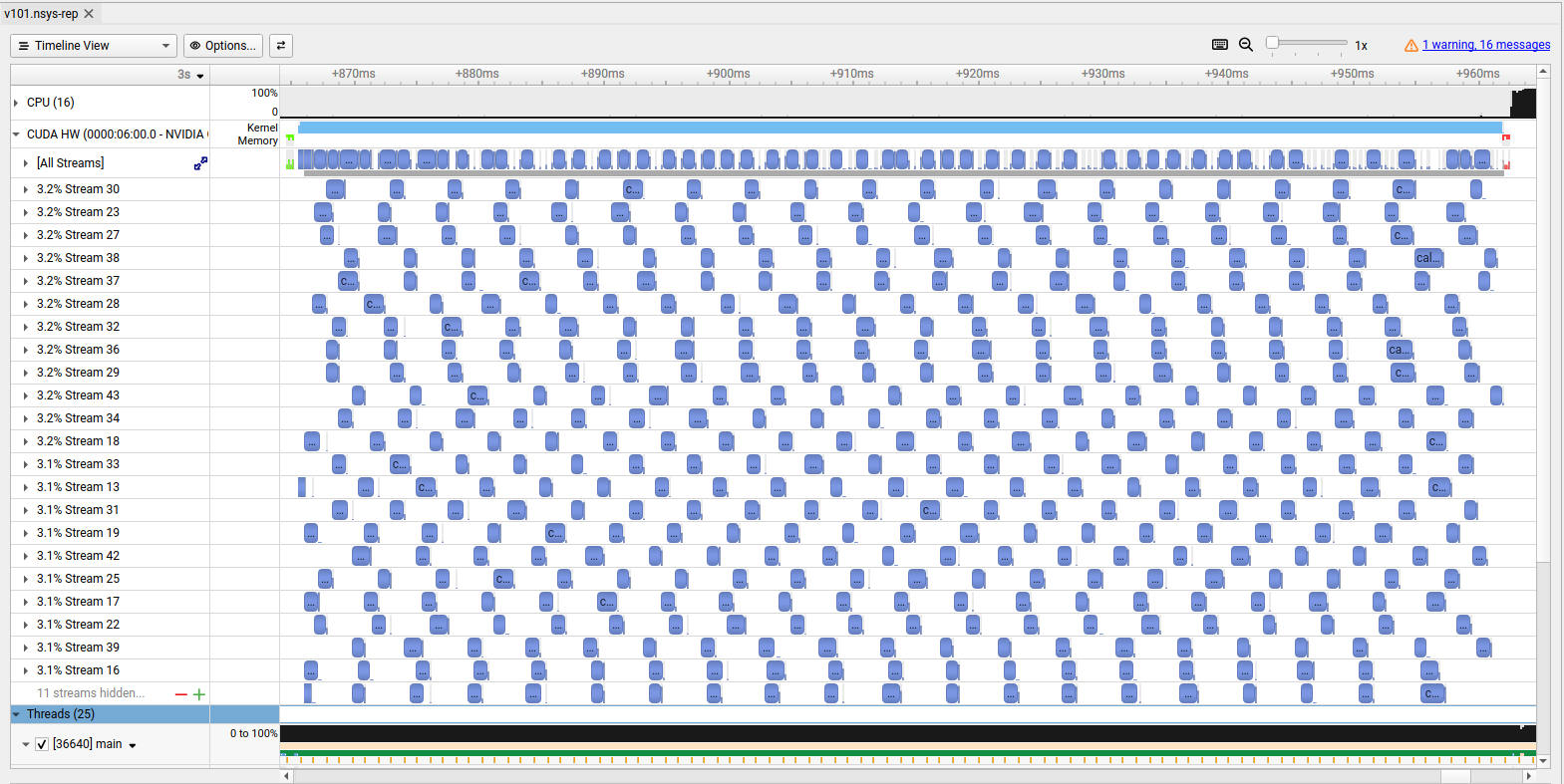
Galaxies don’t depend on each other, so CUDA streams run their kernels at the same time. With the structure of arrays, the 32 threads of a warp read neighbouring addresses, which the GPU serves in one memory transaction.
Sharing data inside a block
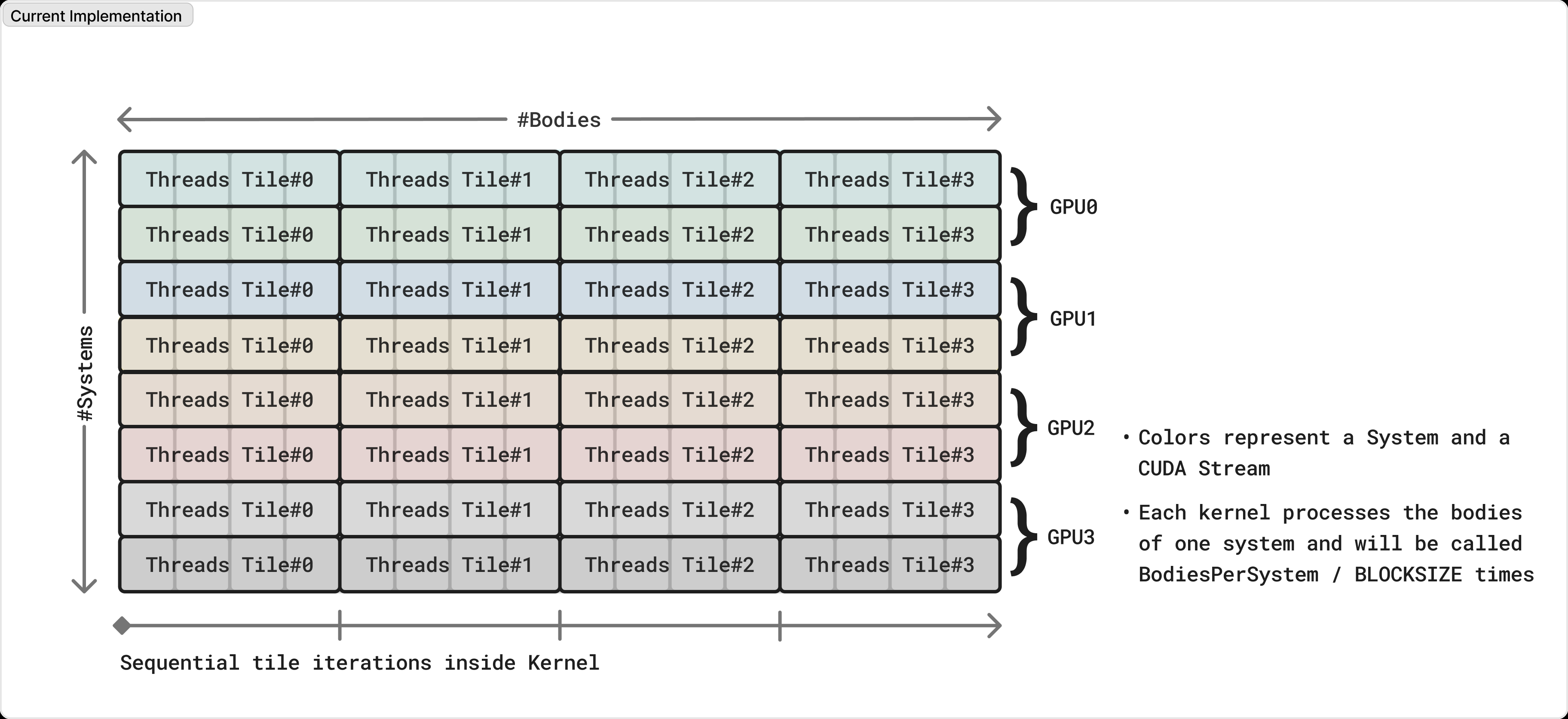
Tiling: a block of threads loads a tile of bodies into fast shared memory once, and every thread in the block reuses it. The forces add up tile by tile and go back to global memory only at the end.

Faster reads and faster maths
Positions are only ever read, so they go through the read-only data cache (__ldg). The force maths uses fused multiply-add (fmaf), one instruction for a multiply and an add.
More work per thread, and its cost
Giving each thread several bodies (coarsening) first made it slower: the extra values didn’t fit in the thread’s registers and spilled to memory. Launch bounds that let each thread use 128 registers instead of 64 removed the spilling. The version that spilled ran at about half the speed.
Four GPUs, no divergence
One OpenMP thread drives each of the four GPUs, each with an equal share of the galaxies. Finally, padding the number of bodies to a multiple of the block size removed the bounds checks, so the threads of a warp never take different paths.
Results
Billions of interactions per second after each step, on the same simulation.
Coarsening on its own was the one step that made it slower (487× against 571× before it), until launch bounds fixed it.
Each version ran 25 times. The average leaves out the fastest and the slowest run.
Report and repository
Team


Tools
What this project was built with. Pick one to see where else I used it.